What’s New?
We’ve introduced new layout options for displaying product images on the
Product Details Page (PDP)
, giving merchants more flexibility to present product media and create richer shopping experiences.Store owners can now choose between multiple image layout styles and improved navigation options for product media.
- New Product Media Layout Options
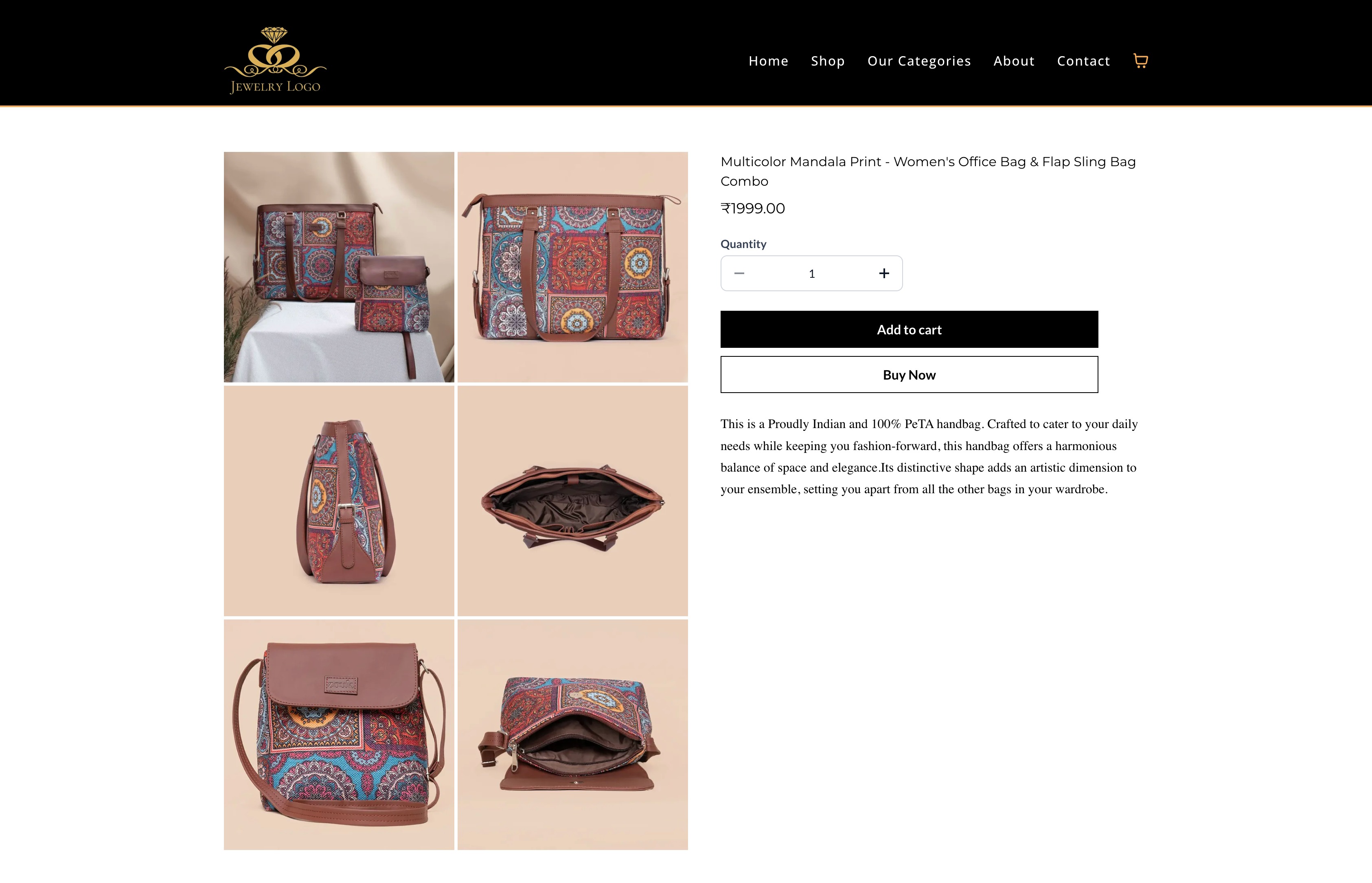
Three layout options are now available for displaying product images on the PDP:
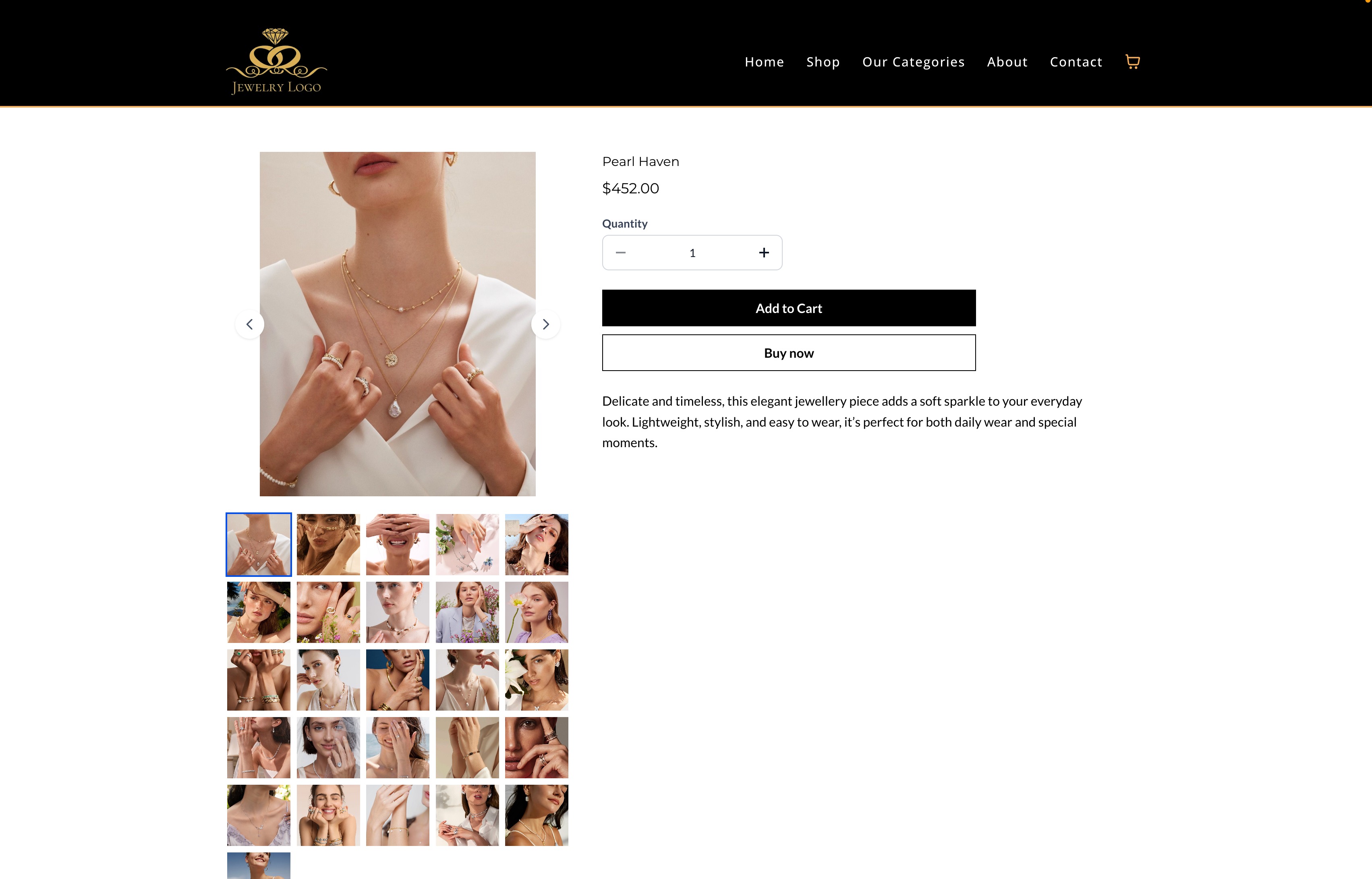
- Gallery (Existing Layout): Vertical stacked image display.
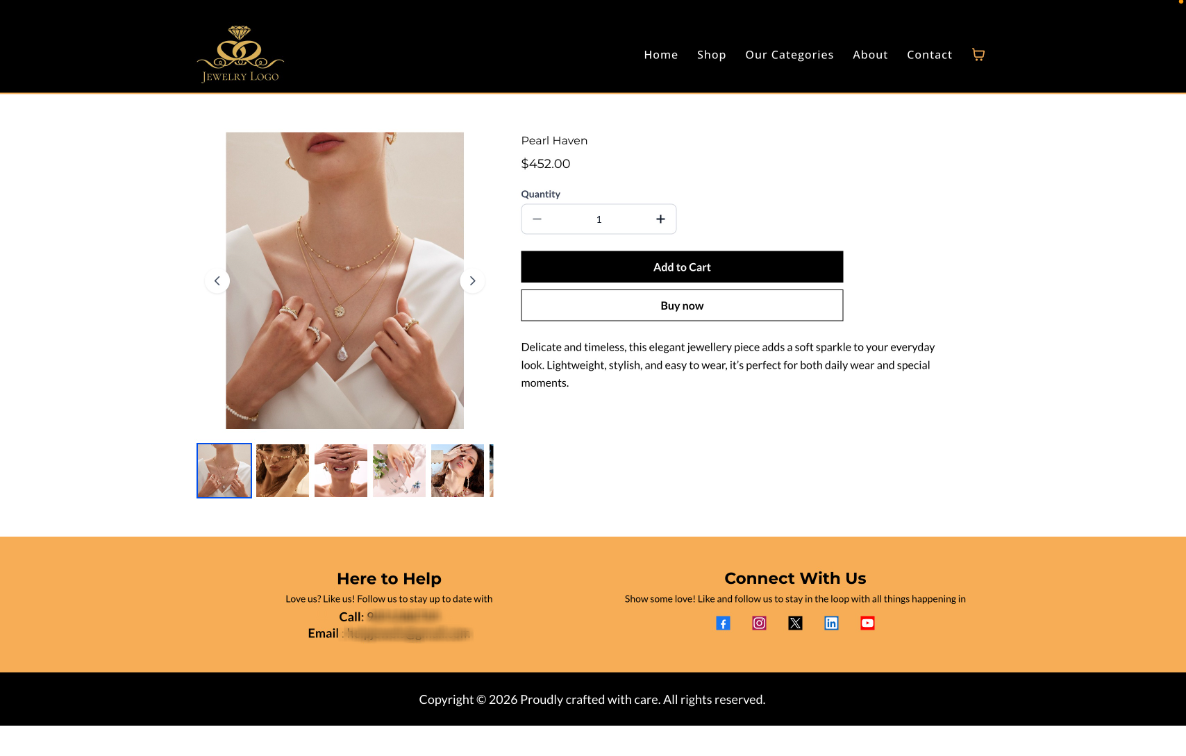
- Carousel: Horizontal image carousel with smooth navigation.
- Two Column: Desktop-only two-column grid layout for product images.
- Image Navigation Arrows
Navigation arrows are now available in
Gallery
and Carousel
layouts, allowing customers to easily browse through product images.- Not supported in the Two Column layout.
- Optimized Mobile Layout
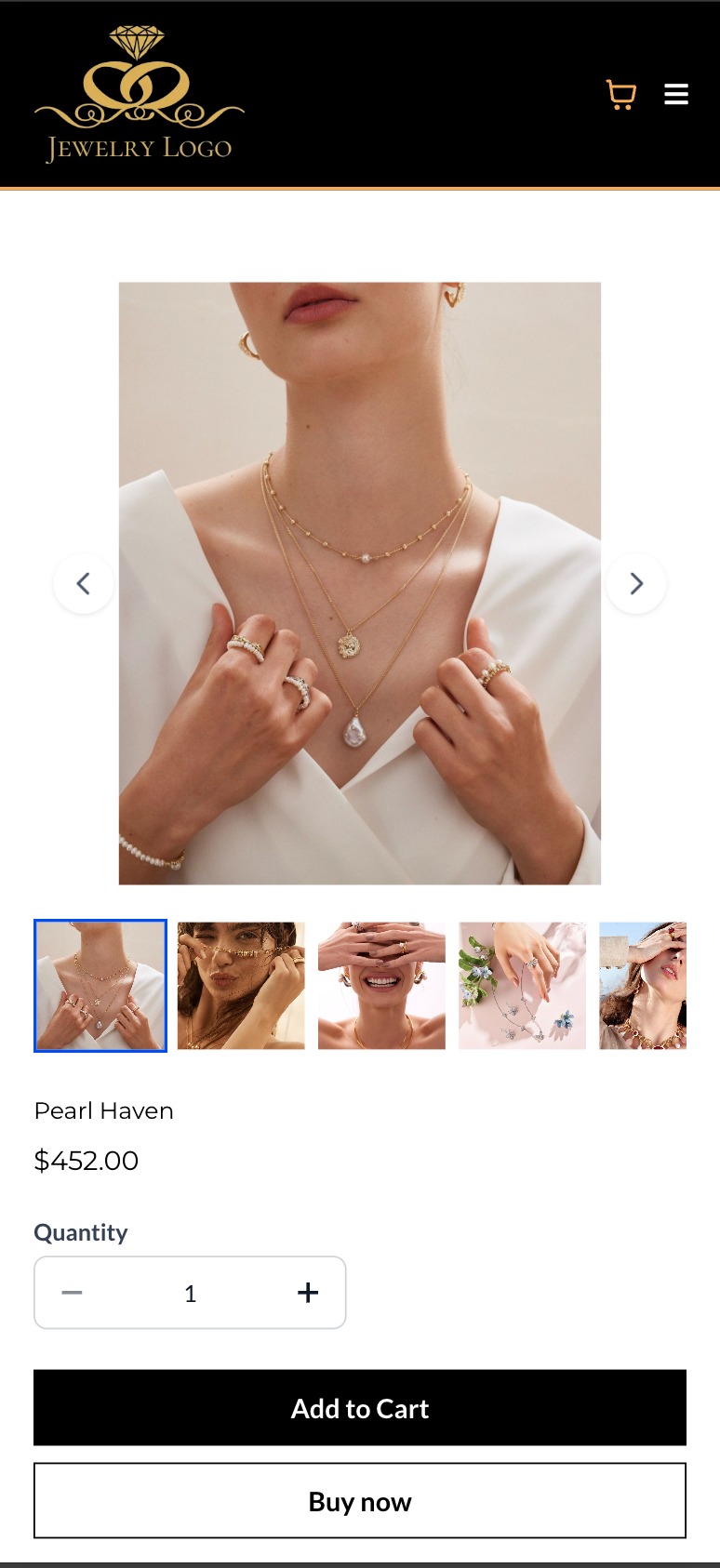
On mobile devices, the
Carousel layout is automatically applied
for both the Product Details Page and Featured Product elements to ensure the best viewing experience.How to Use It
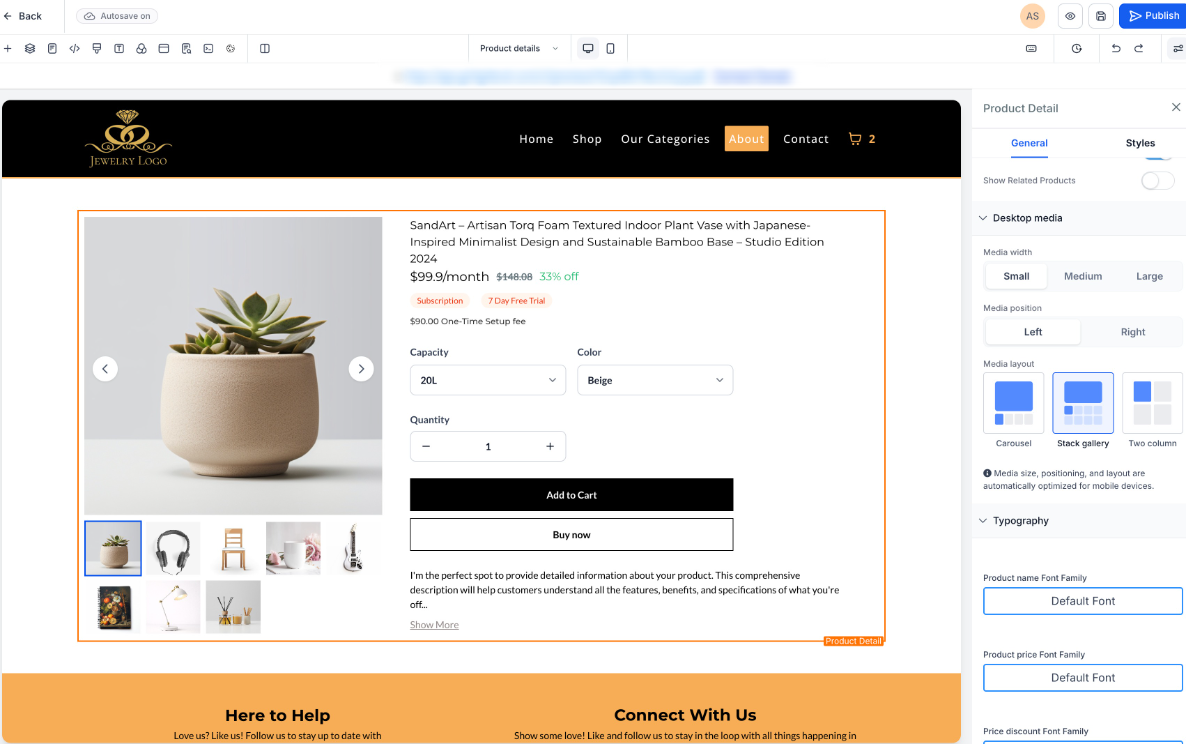
- Open your Store Builderand edit theProduct Details Page.
- Select the Product element.
- Navigate to the Desktop Media settingsin the right-side panel.
- Choose the preferred Media Layout(Gallery, Carousel, or Two Column).
- Save and publish the changes to apply the new layout.
Key Points to Note
- Two Column layout is available only on desktopand not supported on mobile.
- Carousel is automatically used on mobile, regardless of the desktop layout selected.
- Featured Product elements support Carousel and Gallery layouts only. Two Column layout is not supported for this element.
- Existing stores will retain their current layout unless changed manually, ensuring no visual disruptions.Existing stores will continue using the Gallery layoutto maintain backward compatibility.
Images:
Was this article helpful?
That’s Great!
Thank you for your feedback
Sorry! We couldn't be helpful
Thank you for your feedback
Feedback sent
We appreciate your effort and will try to fix the article